How to Choose the Best USB C Charger for Fast, Reliable Everyday Charging

Few things are more frustrating than plugging in your laptop or phone only to discover that the charger is too slow, gets unusually hot, or simply cannot provide enough power.
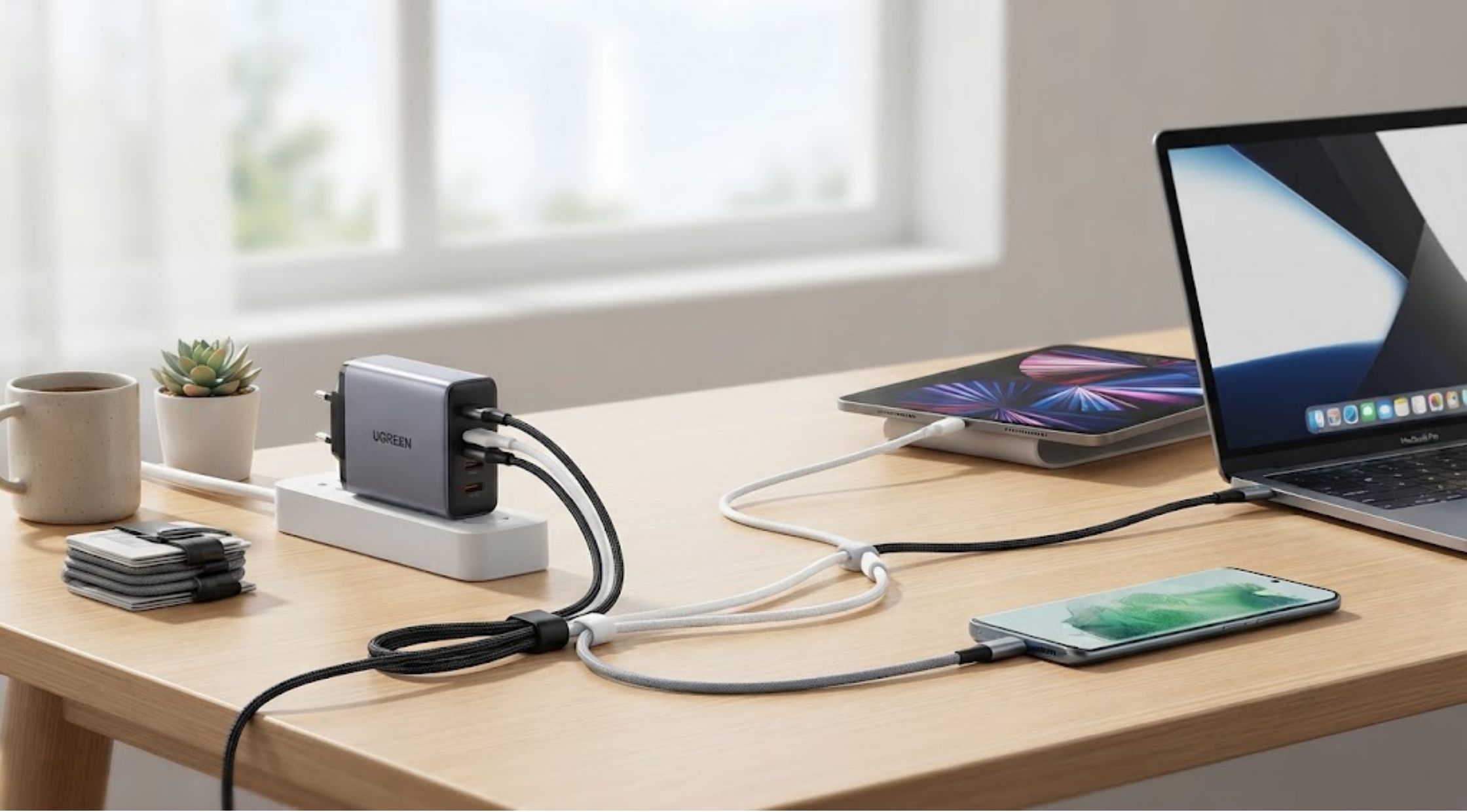
Few things are more frustrating than plugging in your laptop or phone only to discover that the charger is too slow, gets unusually hot, or simply cannot provide enough power. With more devices moving toward USB-C, choosing the right charger should be easier—but the wide range of wattages, ports, cables, and charging standards can make the decision surprisingly confusing.
Finding the best USB C charger is not simply about choosing the charger with the highest wattage. The right option should match your devices, charging requirements, portability needs, and daily routine.
For anyone charging a laptop, tablet, phone, headphones, or multiple devices, understanding what actually matters can help you avoid buying a charger that does not meet your needs.
Why Choosing a USB-C Charger Can Be Complicated
USB-C has become increasingly common across modern electronics, but not every USB-C charger performs the same way.
Two chargers may have identical-looking ports while offering very different power outputs. One might be suitable for a smartphone, while another can provide enough power for a high-performance laptop.
Common frustrations include:
- Slow charging
- Chargers that cannot power larger laptops
- Too few charging ports
- Carrying several adapters while traveling
- Bulky power bricks
- Excessive heat during charging
- Uncertainty about wattage compatibility
- Charging cables that cannot handle higher power
These problems usually come from choosing a charger based on appearance or price instead of checking its specifications.
What Makes the Best USB C Charger?
The best USB C charger should provide enough power for your devices while remaining convenient for your particular lifestyle.
Check the Wattage
Wattage is one of the most important specifications.
A basic smartphone may require relatively little power, while a laptop can require significantly more. If the charger does not provide sufficient power, the device may charge slowly or continue losing battery even while plugged in.
Before buying, check your device manufacturer's recommended charging requirements.
Consider the Number of Ports
If you regularly carry a laptop, smartphone, tablet, smartwatch, and other accessories, a multi-port charger can reduce the number of adapters you need.
However, remember that some multi-port chargers divide their available power between connected devices. Look at the charger's total output and how power is distributed between ports.
Look for USB Power Delivery
USB Power Delivery, commonly known as USB PD, is an important charging standard for many modern devices. A compatible charger can negotiate an appropriate power level with the connected device.
This makes compatibility an important consideration when comparing chargers.
Why Your Laptop Needs Special Consideration
Choosing the best USB C charger for laptop use requires more attention than choosing one for smaller electronics.
Laptops can have significantly higher power requirements, particularly performance-oriented models. A charger designed primarily for smartphones may technically connect to a laptop but may not provide enough power for efficient charging.
Before purchasing, check:
- Your laptop's recommended charger wattage
- USB-C charging compatibility
- Required charging standard
- Number of devices you normally charge
- Whether you need a compact travel charger
- Cable compatibility
A charger with sufficient wattage gives you more flexibility when charging demanding devices.
Common Mistakes to Avoid
Buying Based Only on Wattage
Higher wattage does not automatically mean better.
A very powerful charger may be unnecessary for your devices, while an underpowered charger may leave you frustrated. Match the charger to your actual requirements.
Forgetting the Cable
The charger is only part of the charging system. USB-C cables also have different power and data capabilities.
If you purchase a high-output charger, make sure the cable you use can safely support the required power.
Ignoring Port Distribution
A multi-port charger may advertise a high total wattage, but that power can be divided when several devices are connected.
If you regularly charge a laptop and smartphone simultaneously, check how much power each port can provide when used together.
Choosing the Cheapest Option
Price is worth considering, but charging equipment is an area where quality and safety features matter. A well-designed charger can be a more sensible long-term investment if you use it every day.
Practical Ways to Improve Your Charging Setup
You can make your charging routine simpler without buying a large collection of accessories.
Create One Main Charging Station
Keep a capable multi-device charger in your primary workspace. This can reduce cable clutter and make it easier to keep important devices charged.
Use a Compact Charger for Travel
If you travel frequently, a smaller charger with multiple ports can reduce the amount of equipment in your bag.
Match Chargers to Your Devices
Create a quick list of the devices you use most often and check their charging requirements. This makes it easier to choose one charger that can handle your everyday needs.
Keep a Spare Cable
Having an additional compatible USB-C cable in your work bag or travel case can prevent unnecessary inconvenience if your primary cable is damaged or forgotten.
When a Premium USB-C Charger Makes Sense
For occasional charging, a basic charger may be sufficient. But if you rely on multiple devices every day, a higher-quality charger can make your routine considerably easier.
This is where UGREEN (US) can be worth exploring. The brand offers charging solutions designed for different combinations of smartphones, tablets, laptops, and other USB-C devices.
Instead of purchasing separate adapters for every device, a suitable multi-port charger can consolidate your setup into one compact solution.
When comparing UGREEN chargers, consider the total output, individual port capabilities, supported charging protocols, size, and the devices you plan to connect.
Benefits of Upgrading Your Charger
A better charger can provide several practical advantages.
Faster Charging
When the charger and device support the appropriate power levels, you can spend less time waiting for batteries to recharge.
Less Clutter
A multi-port charger can replace several individual adapters, creating a cleaner workspace and lighter travel bag.
Greater Versatility
A charger capable of powering both laptops and smaller devices can be useful at home, in the office, and while traveling.
Better Convenience
Instead of searching for different adapters, you can connect multiple devices to one charging station.
Long-Term Value
A quality charger that supports several devices can remain useful even when you upgrade your phone, tablet, or laptop.
For people who depend heavily on their electronics, investing in a well-designed charger can therefore be more practical than repeatedly replacing inexpensive adapters.
How to Choose the Best USB C Charger for Laptop Use
Before making your purchase, ask a few simple questions:
- What wattage does my laptop require?
- Can the charger provide enough power while the laptop is being used?
- How many devices do I need to charge simultaneously?
- Do I need a compact travel design?
- Are my USB-C cables compatible with the charger's output?
- Does the charger support the appropriate charging standards?
- Will the charger's port distribution work for my devices?
If you answer these questions first, you are much less likely to end up with a charger that looks impressive but does not fit your setup.
Conclusion: Choose a Charger That Fits Your Routine
The right USB-C charger can simplify everyday technology use by reducing clutter, improving charging convenience, and allowing multiple devices to share one reliable power source.
Whether you are searching for the best USB C charger for your everyday electronics or the best USB C charger for laptop use, focus on compatibility, wattage, port configuration, cable capability, and portability rather than choosing based solely on price.
A premium option from UGREEN (US) may be worth considering if you want a versatile charging setup that can keep multiple devices powered without filling your workspace or travel bag with separate adapters.
The goal is simple: choose a charger that works with the devices you already own and gives you enough flexibility for the devices you may add in the future.