How to Choose the Right iPhone 14 Charger and Charging Cable

Slow charging, damaged cables, cluttered charging spaces, and incompatible accessories can turn a simple daily task into a frustrating experience.
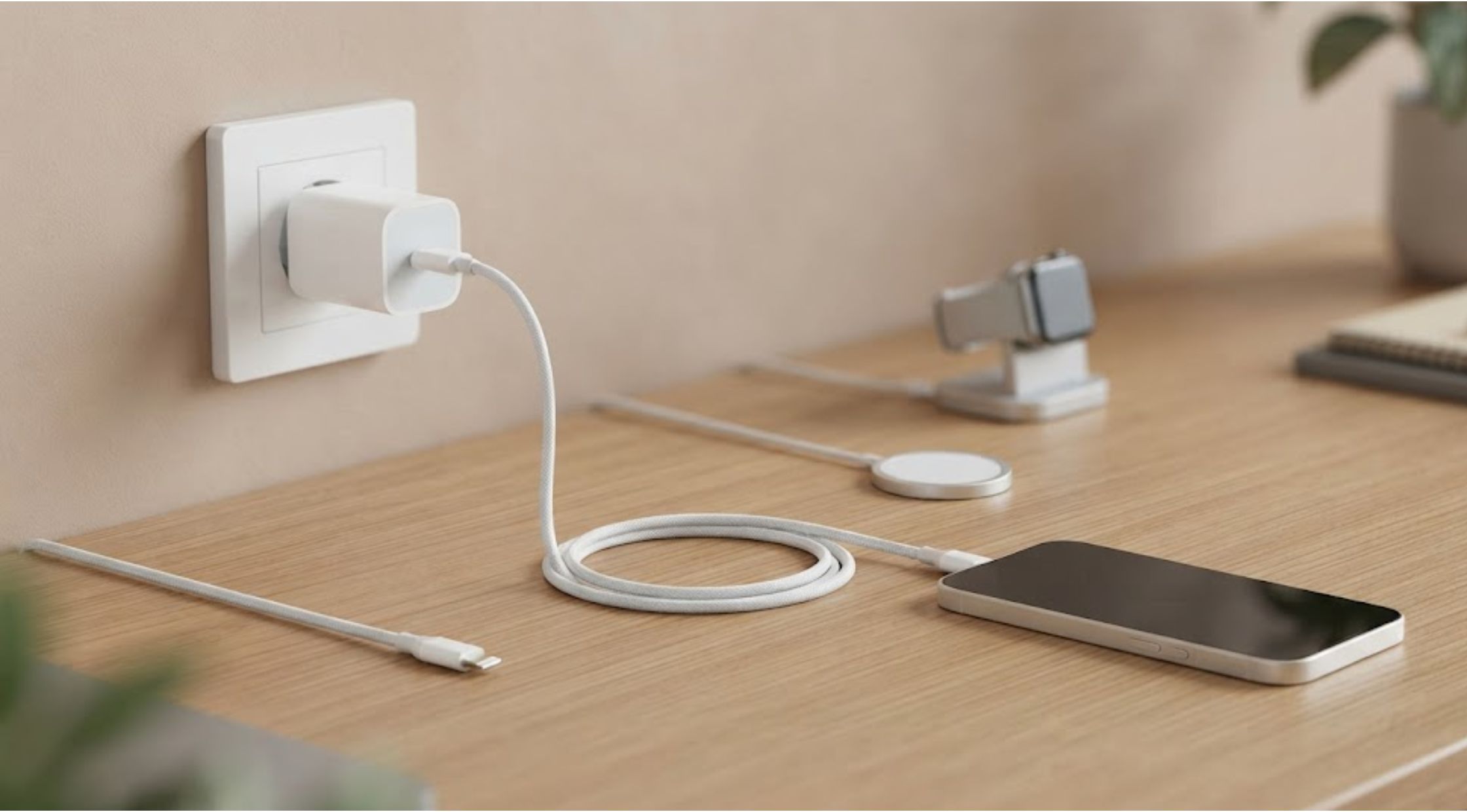
Have you ever plugged in your phone before leaving home, only to discover that the battery barely increased? Slow charging, damaged cables, cluttered charging spaces, and incompatible accessories can turn a simple daily task into a frustrating experience.
For iPhone users, choosing the right charging setup is not only about finding a cable that fits. The quality of the adapter, cable, connector, and charging technology can affect convenience, charging speed, durability, and everyday usability.
Whether you are replacing a worn cable or creating a cleaner charging station for several devices, understanding the differences between an iPhone 14 charger, an iPhone 14 charging cable, and other charging accessories can help you make a smarter purchase.
This blog explains common charging problems, what causes them, and how to choose a reliable setup that fits your lifestyle.
Common Problems with Phone Charging
Charging accessories are used every day, but many people do not think about them until something stops working.
Slow or Inconsistent Charging
A phone may charge slowly because the power adapter does not provide enough power, the cable is damaged, or the charging connection is unreliable.
An older adapter may still work, but it may not offer the same charging performance as a newer compatible option.
Cables That Wear Out Quickly
Charging cables are often bent, pulled, wrapped tightly, or carried in bags. Over time, repeated stress can damage the internal wiring or weaken the connector.
A low-quality iPhone 14 charging cable may work initially but become unreliable after regular use.
Too Many Chargers
Many households use separate charging accessories for phones, watches, tablets, and other devices. This can create cable clutter and make it difficult to keep everything organised.
Confusing Compatibility Information
Terms such as USB-C, Lightning, wireless charging, power delivery, and magnetic charging can make it difficult to understand which accessories work together.
Before buying an iPhone 14 charger, it is important to check the connector type, power requirements, and compatibility information provided by the manufacturer.
Why Charging Problems Happen
Charging performance depends on several parts working together.
The power adapter supplies electricity, the cable transfers it, and the device manages how much power it receives. If one part is damaged, incompatible, or low quality, the overall experience may be affected.
For example, a powerful adapter may not perform as expected if the cable cannot support the required charging level. Similarly, a high-quality cable may still charge slowly when connected to an older or lower-powered adapter.
Heat can also affect charging. Phones may reduce charging speed when they become warm to help protect the battery. Using a phone heavily while charging, leaving it in direct sunlight, or placing it under bedding may increase heat.
Understanding the complete charging setup is more useful than focusing on only one accessory.
Practical Tips for Choosing an iPhone 14 Charger
Check the Connector Type
The iPhone 14 uses a Lightning port. This means an iPhone 14 charging cable should have a Lightning connector on the phone end.
The other end may use USB-C or USB-A, depending on the power adapter or charging device.
Before purchasing, check the ports on your existing charger so you do not buy a cable that requires an adapter you do not have.
Choose a Suitable Power Adapter
The right iPhone 14 charger should provide compatible power and include appropriate safety protections.
Avoid choosing a charger only because it has the highest power rating. Your phone controls the amount of power it receives, and the charging experience depends on the complete setup.
Review the manufacturer’s compatibility information and use reputable accessories.
Consider Cable Length
A short cable may be convenient for travel or a desk, while a longer cable may be useful beside a bed or sofa.
However, extra-long cables can create clutter and may be less convenient to carry.
Choose a length that suits where and how you normally charge your phone.
Look for Durable Construction
Consider reinforced connection points, flexible materials, and a design intended for frequent use.
A well-made iPhone 14 charging cable may provide better long-term value than repeatedly replacing inexpensive cables.
Keep Charging Areas Organised
A dedicated charging location can reduce cable damage and make it easier to keep devices ready.
Use cable organisers where appropriate and avoid sharply bending cables near the connectors.
Understanding the Dimensions of Apple Watch Charger Accessories
When creating a multi-device charging setup, the dimensions of Apple Watch charger accessories may be important.
The size of an Apple Watch charging puck, stand, dock, or charging module can affect:
- Desk space
- Travel convenience
- Cable management
- Compatibility with cases or stands
- Placement beside other devices
There is no single measurement that applies to every Apple Watch charging accessory. Dimensions vary depending on the charger model and whether it is a compact puck, a charging stand, or part of a multi-device station.
Before purchasing, review the product specifications and measure the space where you plan to use the charger.
If you travel frequently, a compact charging solution may be more practical. For a bedside table, a larger stand may provide better organisation and easier access.
A Smarter Way to Charge Multiple Devices
For people who want to reduce cable clutter and create a more convenient charging routine, MAGFAST offers charging solutions designed around speed, durability, and everyday usability.
Rather than using separate accessories for every device, a well-designed charging system can help simplify how you power your phone, watch, and other compatible technology.
A premium MAGFAST charging solution may be especially useful for people who regularly move between home, work, and travel. Reliable accessories can reduce the need to carry multiple cables and adapters while keeping devices easier to manage.
When comparing an iPhone 14 charger, consider the complete experience: compatibility, cable strength, charging convenience, portability, and the number of devices you use.
Benefits of Upgrading to a Premium Charging Setup
A high-quality charging system can improve more than charging speed.
Greater Everyday Convenience
A reliable setup makes it easier to charge devices without searching for cables or moving adapters between rooms.
Reduced Cable Clutter
Multi-device charging options can help organise a desk, bedside table, or travel bag.
Better Durability
Premium materials and thoughtful construction may help accessories withstand frequent use.
More Flexible Charging
A quality iPhone 14 charger can support a practical routine at home, at work, or while travelling.
Improved Long-Term Value
A durable charging system may reduce the need to replace damaged cables and low-quality adapters repeatedly.
A Cleaner Technology Setup
With solutions designed to simplify modern charging, MAGFAST can help users create a more organised and efficient way to keep devices powered.
How to Make Your Charging Accessories Last Longer
Even high-quality accessories benefit from proper care.
Follow these habits:
- Pull cables from the connector rather than the wire
- Avoid tightly wrapping cables
- Keep charging ports clean and dry
- Do not place charging devices under pillows or blankets
- Replace visibly damaged cables
- Use compatible accessories from reputable manufacturers
If a cable becomes unusually hot, stops charging consistently, or shows exposed wiring, discontinue use and replace it.
Conclusion: Choose Charging Accessories That Fit Your Routine
The right iPhone 14 charger can make everyday technology more convenient, while a durable iPhone 14 charging cable can reduce interruptions and replacement costs.
When comparing accessories, check compatibility, connector type, cable length, power support, construction quality, and safety information. If you are building a multi-device charging station, reviewing the dimensions of Apple Watch charger accessories can also help you choose a setup that fits your available space.
For users who want a cleaner and more flexible charging experience, exploring solutions from MAGFAST may be a practical next step. A thoughtfully designed system can reduce clutter, improve portability, and make it easier to keep essential devices ready throughout the day.
Choose reliable accessories, care for them properly, and build a charging setup that works with your lifestyle rather than adding more complexity.
Recent Blogs
-

How to Choose a Meaningful Historical Watch That Tells More Than Time
-
How to Connect a Nintendo Switch to a TV Without a Dock
-

How to Choose Gym Jewelry That Matches Your Fitness Lifestyle
-

Chomps Beef Sticks, Chomps Meat Sticks, or Chomps Sticks? How to Choose the Perfect High-Protein Snack
-

How to Choose the Best Mattress for Side Sleepers: A Complete Buying Guide